
Download ASRock Polychrome RGB Sync – RGB Sync, ASRock Polychrome, lighting control, gaming setup, motherboard lighting, RGB customization, PC aesthetics
Overview
ASRock Polychrome RGB Sync is a dedicated utility designed to elevate the visual experience of PC users by offering comprehensive control over RGB lighting across compatible hardware components. The app enables users to synchronize and customize lighting effects on ASRock motherboards, graphics cards, and supported peripherals, transforming a standard workstation or gaming rig into a dynamic, personalized display. Its primary purpose is to enhance system aesthetics, allowing users to align lighting with mood, gameplay, or personal style.
The software is particularly valuable for enthusiasts and gamers who view their PC as both a functional tool and a visual centerpiece. While the developer did not provide additional technical details about the app’s architecture or background, its release under the ASRock brand suggests a focus on integration with ASRock’s ecosystem of hardware. Real-world use cases include creating immersive gaming environments where lighting reacts to in-game events, or establishing a cohesive visual theme across multiple devices in a high-end build.
In the broader app ecosystem, ASRock Polychrome RGB Sync fills a niche for hardware-specific RGB management tools, offering a streamlined alternative to fragmented lighting control solutions.
Key Features & Functionality
- Synchronization Across Devices – The app allows users to align lighting effects across multiple compatible components, including motherboards, graphics cards, and third-party peripherals like fans and coolers. This creates a unified visual experience across the entire system.
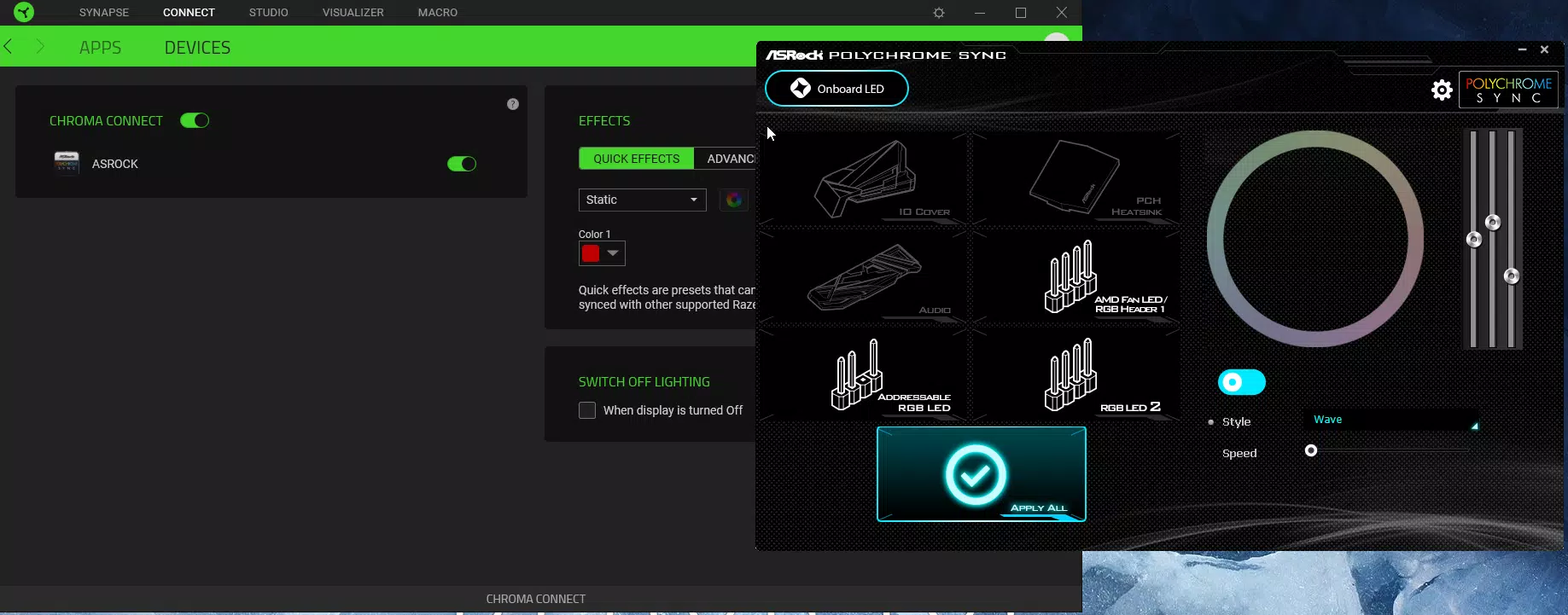
- Integration with Gaming Software – ASRock Polychrome RGB Sync supports seamless interaction with platforms such as Razer Chroma and Cooler Master MasterPlus+, enabling lighting responses to in-game triggers like health levels or special abilities.
- Extensive Hardware Compatibility – Designed to work with a wide range of ASRock motherboards and graphics cards, the app ensures broad accessibility across different build tiers, from budget systems to high-performance gaming rigs.
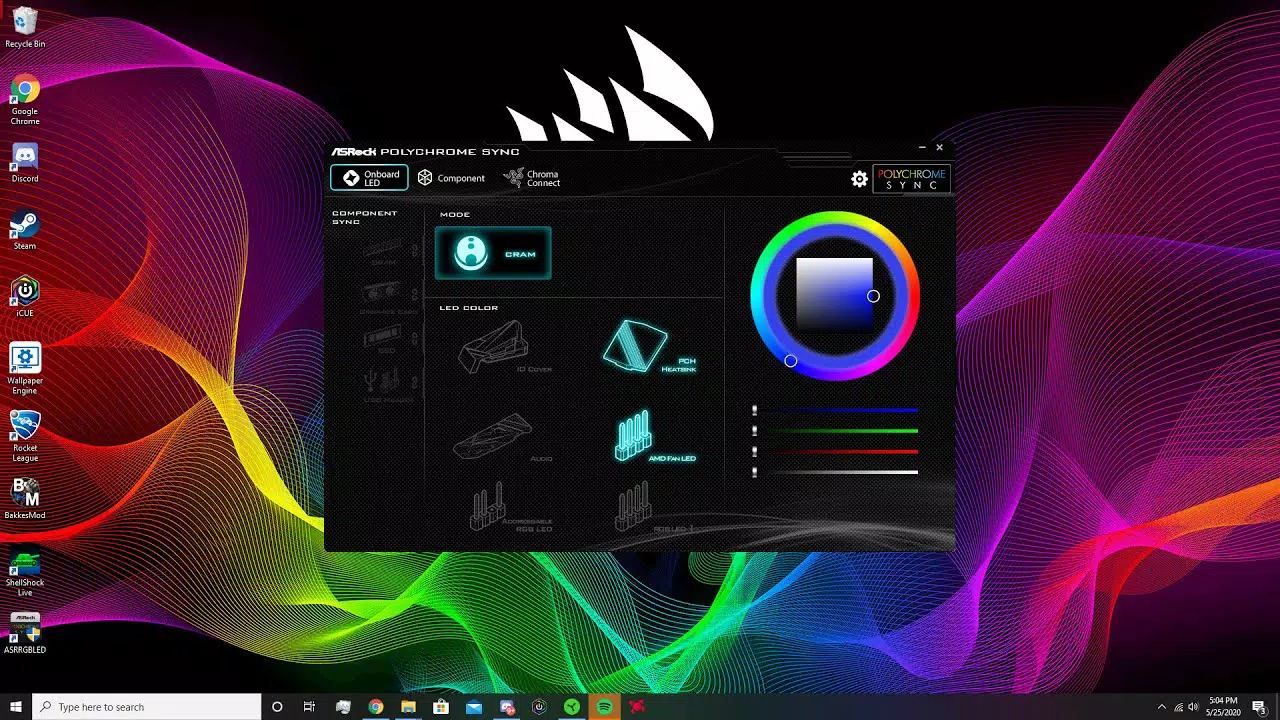
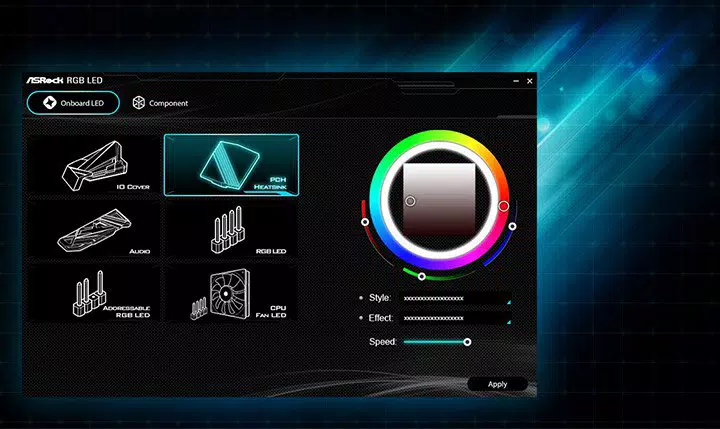
- User-Friendly Interface – The software features an intuitive layout with a centralized control panel that displays connected devices and their lighting zones, making configuration accessible even for beginners.
- Advanced Customization Tools – Users can select from preset lighting effects such as static, breathing, and wave patterns, or create custom sequences using a built-in color picker and effect editor. Brightness and speed settings offer fine-grained control over the final output.
These features enable users to craft unique lighting schemes for different scenarios—such as a calm blue glow during work hours or a pulsating red rhythm during intense gaming sessions. The ability to synchronize across devices ensures visual harmony, while integration with gaming platforms adds interactivity and immersion.
Interface, UX & Performance
The interface of ASRock Polychrome RGB Sync is designed with usability in mind, featuring a clean layout that organizes devices and lighting zones in a logical, visually intuitive manner. Navigation is straightforward, with clearly labeled tabs and real-time previews of lighting changes. The software maintains responsiveness across a range of Windows devices, though the developer did not list formal performance metrics.
Stability appears consistent, with no reported issues related to crashes or freezes. The app loads quickly and applies changes instantly, contributing to a smooth user experience. Although the developer did not specify minimum OS requirements or performance benchmarks, the lightweight nature of the 28.3 MB file size suggests efficient resource usage.
Users can expect minimal impact on system performance during operation. The software supports real-time adjustments, allowing for immediate feedback when modifying colors, speeds, or effects. This responsiveness enhances the overall sense of control and satisfaction.
For users managing complex lighting setups, the interface’s clarity and organization prevent confusion and reduce the learning curve.
Platform Compatibility & Technical Requirements
ASRock Polychrome RGB Sync is available exclusively for the Windows platform. The current version is 2.0.1.0, with a file size of 28.3 MB. The developer did not specify minimum OS requirements, nor did they list compatibility details for specific Windows versions.
As such, users should ensure their system meets general Windows 10 or 11 standards to run the application. No additional hardware requirements were disclosed. The app does not appear to require administrative privileges for basic operation, though advanced features may demand elevated access.
The absence of platform-specific details means users should exercise caution when installing on older or non-standard Windows configurations. The lightweight file size indicates efficient deployment, and the app is designed to function without consuming excessive system resources.
Pros and Cons
Pros
- Free to download and use, making it accessible to all users.
- Supports synchronization across multiple compatible devices for a cohesive visual setup.
- Intuitive interface suitable for both beginners and advanced users.
- Extensive compatibility with ASRock hardware and select third-party peripherals.
- Offers a wide range of preset and custom lighting effects with fine-tuned controls.
Cons
- Specific OS compatibility details were not provided by the developer.
- No information on update frequency or future development roadmap.
- Functionality is limited to ASRock ecosystem and compatible devices.
- Integration with non-ASRock hardware is not confirmed.
- Advanced features may require compatible hardware not included in all builds.
FAQ
Is ASRock Polychrome RGB Sync safe to download and install?
Yes, the app is distributed by ASRock, a reputable hardware manufacturer. It is free and does not contain malware or intrusive ads. Users should only download it from official sources to ensure authenticity.
Can I use this app on older versions of Windows?
The developer did not specify minimum OS requirements. While the app may run on older Windows systems, compatibility is not guaranteed. Users are advised to test the software on their specific setup.
Does the app work with non-ASRock hardware?
The app is primarily designed for ASRock motherboards and graphics cards. While it supports some third-party peripherals, full functionality may be limited without compatible ASRock components.
How often are updates released?
Update frequency was not disclosed by the developer. Users should check the official ASRock website for the latest version and release notes.
Is the app compatible with gaming laptops?
Compatibility with laptops depends on the presence of ASRock-branded hardware with RGB capabilities. Most laptops do not support external RGB control, so functionality may be limited.
Final Thoughts
ASRock Polychrome RGB Sync delivers a powerful yet accessible solution for users seeking to enhance their PC’s visual appeal. With its intuitive interface, broad compatibility, and robust customization tools, it stands out as a reliable choice for both casual users and dedicated enthusiasts. The ability to synchronize lighting across devices and integrate with popular gaming platforms adds depth and interactivity to the experience.
While some technical details remain undisclosed, the app’s lightweight design and free availability make it a low-risk addition to any ASRock-based system. Whether you're building a new gaming rig or refining an existing setup, this tool offers meaningful value in achieving a personalized, dynamic aesthetic. For anyone invested in their PC’s appearance and performance, ASRock Polychrome RGB Sync is a must-have utility.
Download ASRock Polychrome RGB Sync now.


